
Official Millionaire Game
Uken GamesTrivia
4.628.72K Reviews
- Version
- 69.0.0
- Installs
- 10.00M
- Age Rating
- Everyone
Screenshots

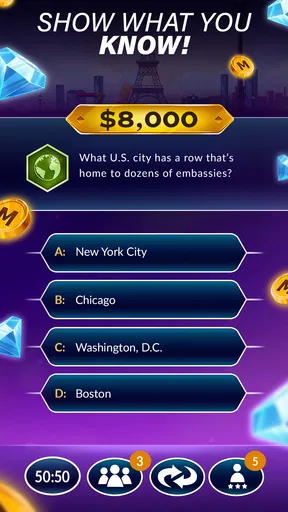
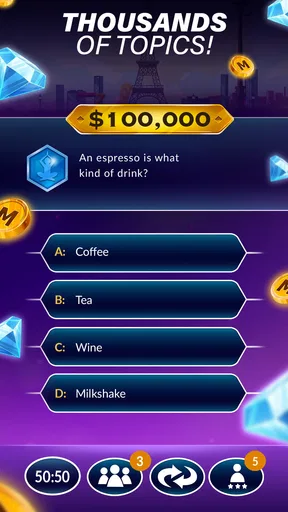

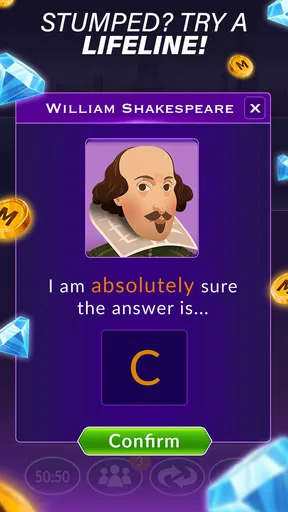



Our Review of Official Millionaire Game
 Analysis by Appyee
My favourite way to approach a trivia game is to treat it as a quick mental reset: a few questions between tasks, or a longer round when I have time to settle in. Official Millionaire Game fits that routine well because its familiar quiz-show format gives each answer a little more weight than a plain list of questions. It is a free trivia game from Uken Games, and I find it most enjoyable when I play for the challenge rather than expecting every session to feel brand new.
A good rhythm for a first session
I’d start with a solo round and take the time to read each question and all the answer choices before tapping. That sounds obvious, but the show-style pressure can make me rush past a key word. The familiar lifelines—50:50, Ask the Audience, and Phone a Friend—are most useful when I first decide what I know and what I’m only guessing. Using one simply because it is available can waste a useful option later in the run.
It also helps to treat a wrong answer as a clue about the kind of knowledge that catches me out, rather than as proof that I’m bad at trivia. A history question and a pop-culture question call for different kinds of recall, and the changing subjects are part of the appeal. If I’m playing casually, I can enjoy the surprise; if I’m trying to improve, I pause long enough to notice whether I missed a detail, confused two possible answers, or guessed too quickly.
Settings and habits worth checking
Before settling into a long stretch of play, I’d check the options the game actually presents and set the experience up for the place I’m in. Sound is a good example: the dramatic music helps create that television-studio mood, but it may be a poor fit for a quiet waiting room or a short break at work. I’d lower or mute it when needed rather than assume every session should be played with the full show atmosphere.
Because the question pace can feel lively, I also recommend playing somewhere you can focus for a moment. A noisy commute or a conversation with friends makes it easier to tap the first plausible answer and miss a small wording difference. The game works as a quick distraction, but it rewards a little attention; keeping that distinction in mind makes short sessions less frustrating.
Getting more from repeat play
For a repeatable routine, I like to separate “play for fun” from “play to improve.” In a relaxed round, I use the lifelines when they make the moment more entertaining. In a focused round, I save them for questions where I can narrow the choices but still need help. That small rule makes each decision feel intentional and gives me a clearer sense of whether I’m relying on knowledge or a lucky guess.
The daily challenge is handy when I only have a few minutes, while multiplayer suits the moments when I want another person’s score to give the round extra purpose. I wouldn’t treat either as a guaranteed route to progress; I’d use them as different ways to keep the format fresh. If questions begin to feel familiar after several sessions, switching between a short challenge and a longer game can help, though it won’t remove repetition altogether.
The Gameplay Experience
The first thing that hit me when I launched the Official Millionaire Game was the sleek design. The interface echoes the classic TV show with its dramatic music and spotlight effects, instantly setting the mood. When you start a new game, it’s just like being on the show—complete with lifelines like "50:50," "Ask the Audience," and "Phone a Friend."
The questions are varied and cover a range of topics, which keeps you on your toes. One minute you’re pondering a history question, and the next you’re racking your brain about pop culture. It’s a great way to test your knowledge and learn something new. The difficulty ramps up nicely, making those higher-stake questions feel genuinely challenging.
Multiplayer and Challenges
What really stood out to me was the multiplayer feature. You can challenge friends or random players online, which adds a competitive edge to the game. It’s not just about knowing the answers; it’s about answering quickly and efficiently. This mode kept me coming back for more, eager to beat my previous score and climb the leaderboard.
There's also a daily challenge feature where you can earn extra rewards. These challenges are a fantastic way to engage with the game even if you only have a few minutes to spare. The rewards system is quite generous, offering in-game currency and other goodies to keep you motivated.
Visuals and Sound
The developers have done a stellar job with the visuals. The game is vibrant and captures the essence of the TV show perfectly. The animations are smooth, and I didn’t experience any lags or glitches during my playtime. The sound effects and music are iconic, and they really transport you to the studio environment, adding to the overall excitement.
User Interface and Accessibility
Navigation in the app is intuitive. Whether you’re tech-savvy or a casual gamer, you’ll find it easy to maneuver through the different sections. The app is well-organized, and the buttons are clearly labeled. The developers have also included options for various accessibility settings, ensuring that everyone can enjoy the game.
Room for Improvement?
While I thoroughly enjoyed the game, there are a couple of areas that could use a bit of polish. Occasionally, some questions seem to repeat, especially if you’re playing multiple sessions in a row. A broader question bank might alleviate this issue. Additionally, while the ads are not overly intrusive, the option to remove them entirely through a purchase would be a welcome addition.
Another aspect that could enhance the game is more customizable avatars. Currently, the selection is limited, and being able to personalize your in-game persona would add a fun, personal touch.
Choosing it over other trivia games
Compared with a general knowledge quiz that simply cycles through questions, this game’s central appeal is the tension of working toward a high-stakes answer and deciding when to use a lifeline. That structure is a better fit if you enjoy the television format and want a clear sense of progression within a round. A broad quiz app may be a better choice if your priority is rapid-fire questions, a specific subject, or a less theatrical pace.
For a realistic everyday use, I’d open it while waiting for an appointment, play a short challenge, and stop when I’m called rather than starting a round I can’t finish. At home, I’d choose multiplayer when a friend is available and solo play when I want to concentrate without comparing scores. Those choices make the game easier to fit around the day, instead of turning every spare moment into a competition.
Who will enjoy it, and where it can frustrate
I’d recommend it to fans of the show, casual trivia players, and anyone who likes making a decision under a little pressure. It is also suitable for a shared game night if everyone is happy to take turns and discuss answers. The game is rated Everyone, and its basic appeal is easy to understand even for someone who does not usually play mobile trivia.
I’d steer away if you want a completely uninterrupted experience, a large amount of avatar customization, or a quiz focused on one narrow topic. The free download is supported by in-app purchases, with items ranging from $0.99 to $149.99 each, so I’d check purchase prompts carefully and avoid treating optional spending as necessary to enjoy a round. Its average rating is 4.5 from around 248,000 ratings, but that broad response doesn’t change the practical trade-off: question repetition can become noticeable if you play many rounds back to back.
Version, compatibility, and expectations
The game was released on September 24, 2018, and its current version is 64.0.0. It supports devices running Android 7.0 or later, which makes it accessible to many Android users, though I’d still check compatibility on the device I plan to use. It has passed 10 million installs, and Uken Games is the developer behind it. Those details suggest a well-established mobile title, but they aren’t a substitute for deciding whether its particular show-style rhythm suits you.
One useful expectation to set is that a trivia game can test what you know without being a dependable study tool. I’d use interesting questions as prompts to look up a subject later, not assume that a quick round provides a thorough lesson. Similarly, multiplayer adds a social contest, but I’d choose it for the fun of comparing answers rather than expecting a deep competitive system.
Final Thoughts
Overall, the Official Millionaire Game is a fantastic way to engage with the "Who Wants to Be a Millionaire?" experience from the comfort of your home. It’s challenging, fun, and offers just enough competition to keep you hooked. Whether you’re a trivia aficionado or just looking for a fun way to pass the time, this app is definitely worth a download.
So, are you ready to become the next virtual millionaire? Grab the app, test your wits, and see if you have what it takes to answer that million-dollar question!
My verdict after settling into its routine
For me, the best version of this game is neither a marathon nor a habit of tapping through every available mode. It is a focused round now and then, with the lifelines saved for genuine uncertainty and the daily challenge reserved for a spare minute. That approach preserves the suspense without making repeated questions the whole experience.
If you like trivia but want something quieter and more direct, a conventional quiz may suit you better. If the staged tension, familiar lifelines, and chance to challenge another player are what you’re after, this one has a distinct reason to stay installed. I’d give it a try as a free game, keep an eye on optional purchases, and judge it by whether the show-like decisions make answering questions more fun for you.
Privacy and Permissions
See what permissions an app requests and how it handles your data.
- Wi-Fi connection information
- view Wi-Fi connections
- Other
- view network connections, full network access, control vibration, prevent device from sleeping
Verdict
Strengths of Official Millionaire Game
- Engaging trivia questions enhance knowledge.
- Smooth and intuitive user interface.
- Multiplayer mode for competitive play.
- Regular updates with new content.
- Offline play available for convenience.
Limitations of Official Millionaire Game
- Contains ads that might disrupt gameplay.
- Limited lifelines can increase difficulty.
- Requires internet for certain features.
- Some questions may repeat frequently.
- In-app purchases can be costly.
Other Releases by Uken Games
View All
Jeopardy!® Trivia TV Game Show
Trivia4.4

Similar Picks in This Category
View All
Millionaire 2026 Quiz & Trivia
Quiz & Trivia Games by Submarine Apps4.5

Brain Test 2: Tricky Stories
Unico Studio4.7

Trivia Crack: Brain Quiz Games
etermax4.4

QuizzLand. Quiz & Trivia game
Quiz & Trivia Games by Mno Go Apps4.8

Brain Test: Tricky Puzzles
Unico Studio4.7

Logo Quiz
bubble quiz games4.5
Frequently Asked Questions
What is the Official Millionaire Game and how does it work?
The Official Millionaire Game is a mobile trivia app that simulates the popular TV game show, 'Who Wants to Be a Millionaire?' Players answer multiple-choice questions across various topics to climb the monetary ladder. Each correct answer moves you closer to the virtual million-dollar prize, with options to use lifelines like 50:50, Ask the Audience, or Phone a Friend.
Is the Official Millionaire Game free to play?
Yes, the Official Millionaire Game can be downloaded for free on both Android and iOS platforms. However, it may offer in-app purchases or display ads to generate revenue. These purchases can enhance gameplay by offering additional lifelines or removing ads for an uninterrupted experience.
What are the system requirements for the Official Millionaire Game?
To enjoy the Official Millionaire Game, Android users typically need a device running Android 5.0 or later, while iOS users should have iOS 11.0 or later. It's recommended to have a stable internet connection for downloading the app and accessing certain features, like leaderboards or daily challenges.
Can you play the Official Millionaire Game offline?
Certain features of the Official Millionaire Game can be accessed offline, allowing you to enjoy basic gameplay without an internet connection. However, online connectivity may be required for features such as leaderboards, updates, and multiplayer modes. Check the app’s settings for more details on offline play capabilities.
How can players ensure a fair gameplay experience in the Official Millionaire Game?
To maintain fair play, ensure your app is updated to the latest version to avoid bugs or glitches. Avoid using external cheats or hacks, as these can lead to account suspension. Engage with the community through forums or support for any concerns regarding fair gameplay or to report possible issues.
Play our best games!


